Buy Instagram Saves
No password needed
100 Instagram Saves
Get 250 for $1.00 more · 43.9% less per 1,000
Paste the post link to continue
- Guest checkout
- Bank transfer, crypto or wallet
To buy Instagram saves on Buzzever, choose a Standard package between 100 and 25,000 saves and paste the link to a single post or Reel. A save is the bookmark under a post, which people tap to keep it for later. Instagram never tells the author who saved, and the order box asks for the post link alone.
- One post or Reel link per order
- Eight package sizes, one tier
- The count shows in your insights
See the price of every saves package
Drag the slider across the sizes and the Standard card shows that package's total beside its rate per 1,000 saves. With a single tier there is nothing else to weigh, so the slider is the whole choice. Stop on any size to read its numbers, then press Buy this and the pack waits in the order box.
-
Standard
Instagram saves from accounts with a profile photo and posts; some may drop, and a refill is yours on request for 30 days.
Delivery usually starts right away, sometimes within 1 to 2 hours, large orders are drip-fed over 24 to 48 hours, and every order has our 30-day refund policy and never needs your password.
-
Standard
Lowest per 1,000 in this tier
Not offered at this size Nearest:
Buy this
Buy Instagram saves in one tier, eight sizes
Saves are sold in one tier, Standard, as 8 packages running from 100 to 25,000. You aren't comparing quality levels on this page, only amounts. The table below sets out each fact we hold for the tier, from the smallest pack to the two rates per 1,000 worth comparing.
| Standard | |
|---|---|
| Package sizes | 100 to 25,000 |
| From | $2.49 |
| Price per 1,000 at the 1,000 package | $10.99 |
| Price per 1,000 at the largest package | $7.08 |
How to read the rows
The From row is the smallest pack. The two rate rows let you set this service beside others we quote per 1,000, once at a middle size and once at the top of the range.
Saves, not shares
This page sells saves only. We don't offer Instagram shares, so a search for both together ends half answered here. For a second reaction on the same post, likes are a separate order.
How ordering saves works
It takes three steps. The animated cards underneath play each one out: copy the address of the post, choose how many saves it should collect, then pay and keep the receipt that lands in your inbox. After payment clears, you're done. The status page shows how far along the order is whenever you look.
-
1
Copy the post address.
In the app, open the post, bring up its share sheet and pick Copy link, then drop it into the box.
-
2
Pick a size.
One tier means one decision: the number of saves. The button shows the total for that package.
-
3
Check out, then track it.
The receipt carries a link to a page that tracks the order from start to finish.
Photos, carousels and Reels all carry the bookmark icon, so any of them can take an order. Each order covers one post, so a second post means a second order.
Keep the account public while the order runs. On a private profile only approved followers can open a post, and a post nobody else can open can't be saved by anyone else either.
Ordering for a client? Paste their post address and give your own email, so the receipt and status page reach you.
Why order your saves from Buzzever
Because you can check every part of the order before paying. The four points here cover what we control: the address check, the rate, how you pay and how you follow progress. What Instagram later does with any interaction is another question. The section on rules further down deals with it.
The link is checked first
The box compares your address with the shapes Instagram uses for posts and Reels. Buy stays locked until it fits.
Rates per 1,000, in USD
Every pack lists its total and its rate per 1,000, in a single currency wherever you shop from.
Bank, crypto or wallet
Use a bank transfer or crypto. Or keep a balance in your Buzzever wallet, loaded by transfer, and spend that.
One page to follow it
The receipt links to a status page, so you never have to write in to ask where things stand.

Who sees saves, and where to find them
Only you. A save is private on both sides. The person who saves a post keeps it in a hidden part of their own profile, and Instagram doesn't tell the author who saved it. The total does exist, inside the post's insights, and the card beside this shows where it sits among the other interactions.
What the saver sees
Instagram's help page on saving posts describes the bookmark under a post or Reel and where saved items end up: a private section of the saver's own profile. People can also sort them into named collections, which the same help centre covers in a separate article.
What you see as the author
The page on post insights lists saves under Interactions, next to likes, comments and shares. To open them, go to your profile, tap the post, then tap View insights.
A public account first
Insights only work on a public profile, personal or professional. If yours is private, Instagram hides the panel, and with it the figure this order adds to.
Two years of figures
Instagram keeps post insights for up to two years, so an older post can still be checked before and after an order.
What followers notice
Nothing under the post changes. There is no public save counter and no list of names, which is the big difference from likes. A visitor scrolling past sees the same post as yesterday.
Reading the card
The chip shows one package size from the list above, and the honey Saves row counts up by that amount as the card scrolls into view. Every other figure on it is made up.
 buzzever
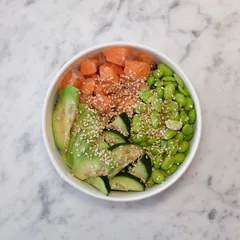
Weeknight poke bowl. Full recipe in the slides.
Interactions
- Likes 1,284
- Comments 48
- Shares 37
- Saves 2,612
Saves are only visible to the account owner
Which posts people actually save
Posts that people plan to use again. A save works like a bookmark, so it tends to gather on content with a job to do later: a meal to cook, steps to follow, slides to swipe through twice, a list to tick off. The four tiles below describe each kind and what makes someone keep it.
Match the order to the post. Saves fit best on one that would earn a bookmark anyway. A thousand saves on a quick selfie fit nothing, even though only you ever see the total.
If you show your numbers to a brand or a client, the ordered saves sit inside those figures and can't be pulled out later. When a deal rests on your insights, the honest move is to mention it.
-
Recipes
Ingredients and method in one post. Easy to keep. People save them for the evening they actually cook, so a recipe is the classic saved post.
-
Guides
A how-to, a city route, a beginner's plan. Anything with steps someone will want open on the day.
-
Carousels
Ten slides are a lot. Few people take them in on one swipe. A saved carousel can be reopened slide by slide, which is why teaching posts often take this form.
-
Checklists
Packing lists, cleaning rotas, a shopping list for a project. The reader comes back to tick items off, one visit at a time.
How many saves to order
Look at the post's other numbers before choosing. Saves should sit comfortably beside the likes and comments it already has, not tower over them. Next to this text, a bar chart lists the current rate per 1,000 for every size, so you can spot where the price per save levels off. Then pick.
What the chart shows
One bar per pack, with its rate per 1,000 printed at the end. The drop is steep across the small packs. At the top it flattens.
Start from the likes
A save takes more intent than a like. It says you plan to return. A saves total far above the like count looks odd in your own insights, even if nobody else sees it.
Match the post type
A recipe carousel can carry a larger figure than a photo from last night's dinner. Let the tiles above guide which posts get the bigger packs.
Split across posts
If several useful posts are live, spread one budget over them rather than putting it all on today's upload. Smaller orders on a few posts sit more naturally than one huge figure.
Check after a day
Open the post's insights the next day and look at the whole Interactions block. If saves now dwarf everything else, choose a smaller size next time.
Is it safe to buy Instagram saves?
It comes down to whose rules count for you. Meta's spam policy, which covers Instagram, doesn't allow buying engagement. A save is engagement. Instagram also says it removes activity traced to inauthentic accounts. Our side is narrower: a post link and an email address. The three columns below set out the rules, the risk and what we keep.
-
Instagram's rules
Meta's spam policy rules out
selling, buying, or exchanging for engagement
on Meta's apps. Instagram's help page on apps that offer likes and followers warns that engagement they generate may be removed. -
What can change
Instagram's page on inauthentic activity explains why counts sometimes fall: activity from such accounts is removed once found. We promise no extra reach and no spot in anyone's feed. If the account earns money, read Instagram's Terms of Use first.
-
What we keep
Three things. The post address, the pack size and the email for your receipt, filed with the order so support can find it. Nothing more.
Questions about buying Instagram saves
Can other people see how many saves my post has?
No. Instagram has no public save counter, so nothing under the post changes after an order and visitors to your profile see the same post as before. That makes saves a quiet number compared with likes, whose count sits under the photo where anyone scrolling past can read it.
Where do I find the saves on my post?
Open your profile, tap the post and choose View insights. Saves are listed under Interactions. Instagram only shows insights on a public account, personal or professional, so switch a private profile to public first. Figures stay available for up to two years, which lets you compare before and after.
Can I buy Instagram saves and shares together?
Not here. We sell saves but not Instagram shares, so there is no combined pack. If you want the same post to collect a second kind of reaction, likes and comments are separate orders you can place for the same link, each with its own live price on its own page.
How much does it cost to buy Instagram saves?
Packs start at $2.49, priced in USD. The price of each save drops as the pack grows, down to $7.08 per 1,000 at the largest size. You pay once per order, with no subscription and nothing billed again later, and the slider near the top lists the rest.
Do you need my Instagram password to add saves?
No. An order needs the post's address and an email for the receipt, and that is all. Checkout, the receipt and the status page never ask for a login or a code. If a message using Buzzever's name asks for your Instagram password, ignore it, because it didn't come from us.
Can I order saves for a Reel or a carousel?
Yes. Photos, carousels and Reels all show the bookmark icon, so any of them can take an order. Paste the address of the single post you want, since each order covers one. A carousel is often the natural fit, because people keep slides they mean to reread.
Will more saves make Instagram show my post to more people?
We can't promise that, and we don't. How Instagram ranks or recommends a post is its own decision, and we have no view into it. What an order does is add saves to one post's total in your insights. Anything beyond that figure is outside what we sell.
More for the same post
All Instagram servicesSaves work out of sight, so pair them with something visible if you want the post to look busier too. Likes raise the heart count under the photo, comments fill the thread, and views count plays on a Reel. Each card below shows the service's live starting price and opens its own page.
- Instagram Followers From $2.49
- Instagram Likes From $1.49
- Instagram Views From $1.49
- Instagram Comments From $2.49
- Instagram Custom Comments From $2.49
Add Instagram likes for the figure everyone sees, start a thread with Instagram comments, or count plays on a Reel with Instagram views. Every option is listed on the Instagram services page.