How to grow on Twitch with followers and live viewers
How to grow on Twitch when the channel still looks empty? Two numbers shape a first visit: the followers on your channel and the viewer count beside a live stream. Here you can buy both as 2 separate services, each in Standard or Premium. Paste a channel name or link, never a password, and choose a package.
- Two groups: your channel and your live stream
- Two goals, each putting both services in order
- A table of what every order asks for

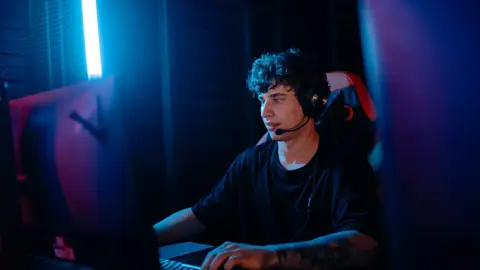

How to grow on Twitch: where do you start?
Pick the situation closer to yours: a channel page that looks brand new, or a broadcast that needs a fuller room tonight. Both cards stay on screen, reordered for that goal, and each gets a short line saying why it sits where it does. Tap the same goal again and the grid goes back to normal.
-
My channel looks brand new
- Twitch Followers raise the follower figure first, since it is the number a stranger weighs before deciding whether to stay.
- Twitch Live Viewers then add viewers to your next broadcast, so newcomers land on a stream with people already in it.
-
Tonight's stream needs a push
- Twitch Live Viewers fill the viewer count in the corner of the player while you are on air.
- Twitch Followers back it with followers, so the channel looks lived in when someone clicks through from the stream.
Twitch followers and live viewers, by group
The 2 Twitch services split cleanly in two. Followers belong to the channel and stay there between broadcasts. Live viewers belong to one stream and exist only while you are on air. Each card shows a starting price in USD, read live from our catalogue; open it for every package size and the order form.
Channel
The count that stays with your channel whether you are live or offline, and one of Twitch's four Affiliate requirements.
Live stream
Viewers join one broadcast while it runs. When the stream ends, there is nothing left to watch, which is why this service has no refill and no drip-feed. Pick it for a broadcast you have announced ahead, so the room fills while people arrive.
What a Twitch order asks for and where it lands
A Twitch order needs very little. Followers take your channel name or the twitch.tv link to your channel. Live viewers take that same channel link, but they only work while you broadcast, so place the order after you go live. Both numbers are public: anyone who opens the channel or the stream can see them.
| Service | What it changes | Who sees the number | What you paste |
|---|---|---|---|
| Twitch Followers | Your channel | Everyone | Channel name or link |
| Twitch Live Viewers | One live stream | Everyone | Channel link while live |
Check the spelling of the channel name before you pay. One wrong letter sends the order to a stranger's channel, or to nobody. Copying the address from the browser bar while you are on your own channel page avoids that mistake entirely.
With live viewers, timing matters more than anything else. Orders usually start instantly, sometimes within 1 to 2 hours, so a short stream can end before the viewers arrive. Plan a broadcast long enough to cover that window. Then keep it running until the tracking page says complete. Once the stream is over, viewers have nothing to join, and an ended stream can't be refilled.
The order follows exactly the name or link you paste. If you are planning to rename the channel, do that first and order afterwards, so the address you give us is the one that stays. The same goes for a channel you plan to merge, rebrand or hand over to a team.
Followers or live viewers: how to choose
Two decisions, one column each. First, which number you need: followers stay on the channel, live viewers stay with a single broadcast. Second, the tier, which works the same way for both services. Standard keeps the price low. Premium sends fuller accounts, and on followers it also handles the 30-day refill for you.
-
Followers or live viewers?
Followers are the slow, steady number. They sit on the channel between broadcasts and come with a 30-day refill. Live viewers serve one stream: they fill the count while you play, then leave when you stop. Choose followers when the channel page looks empty to newcomers. Choose viewers when one broadcast matters, such as a launch night, a collab or a long charity stream. Want both? Order followers first, so the channel page is ready before the busy stream sends people to it.
-
Standard or Premium?
Standard followers are accounts that show a profile photo and some posts. A few may fall away, and a 30-day refill is yours on request. Premium followers are fuller, active, natural-looking accounts with far fewer drops and an automatic 30-day refill. On live viewers, Standard sends viewers to your stream while you are live, and Premium sends fuller, active-looking accounts with a better chance of showing among recommended channels. Neither viewer tier refills. Unsure? Standard on a small package is a cheap way to see how an order behaves before you spend more.
How a Twitch order works
Every Twitch order follows the same three steps: choose the service and package, paste the channel name or link, then pay. The cards below play it through and finish on the tracking page. Your confirmation email links there too, so you can keep an eye on it from a second screen while you stream.
-
1
Choose service and size
Begin with a goal or the grid above, decide between Standard and Premium, and tap the package size you want.
-
2
Paste the channel
Your channel name or link for followers; the channel link, once you are live, for viewers.
-
3
Pay and follow it
Checkout shows the full total before payment, and the tracking page follows the order until it reads complete.
Large follower orders are drip-fed over 24 to 48 hours, so the figure climbs instead of jumping overnight. Live viewers are never drip-fed. They go to the stream that is running.
First time? Start with one small package and watch the tracking page from start to finish. It is easier to judge a single order than three at once, and the next one can be sized to what you saw. If something goes wrong on our side, the 30-day refund policy applies.
How to grow on Twitch inside Twitch's own rules
Twitch doesn't allow it. Its Community Guidelines list viewership tampering, such as artificially inflating follow or live viewer stats, among the things you may not do, and both services sold here change exactly those two numbers. Its Terms of Service take the Guidelines in. What Twitch does about a channel is its call alone.
-
The Community Guidelines
Under spam, scams and other malicious conduct, Twitch's Community Guidelines say you may not engage in viewership tampering,
such as artificially inflating follow or live viewer stats
. Followers and live viewers are the two numbers on this page, so that line covers both services, whichever tier you pick. The same list also rules out selling or sharing accounts and cheating Twitch's rewards systems, such as Drops or channel points; none of that is part of an order here. -
The Terms of Service
Twitch's Terms of Service say they incorporate the Guidelines, and breaking the rules there
may result in
, among other things, suspension or termination of your right to use Twitch. The Affiliate program counts followers and average viewers too, which is why we never sell a package as a way in. -
What an order touches
A channel name or a channel link. That is all. We never sign in to Twitch for you, so we can't stream, chat, follow anyone or change a setting, and the account stays yours. What Twitch decides is out of our hands. Both pages are written plainly; read them before you order. We also can't speak to Twitch for you or appeal on your behalf.
Questions on how to grow on Twitch with help
Can you buy Twitch followers and live viewers here?
Yes. Followers and live viewers are sold here as fixed packages priced in US dollars, with a Standard and a Premium tier for each. Twitch's Community Guidelines treat artificially inflated follow and viewer stats as viewership tampering, and it is better you learn that here than after paying. Whether the trade-off suits your channel is your decision.
How do you grow on Twitch without shortcuts?
Mostly with hours on air and attention to chat. Stream on a schedule people can remember, greet newcomers by name, stay live long enough to be found, and turn your best moments into clips you share elsewhere. A package changes a number on the page. People come back for the streamer, never for the count.
What does Twitch require for Affiliate?
Twitch's Affiliate page lists four achievements inside the same 30 days: 25 followers, 4 hours streamed, streams on 4 different days, and an average of 3 concurrent viewers on 4 of those days. Two-factor authentication must be switched on. We don't promise Affiliate, and inflated stats break Twitch's rules.
What do I paste for each Twitch service?
For followers, your channel name or the full twitch.tv link to your channel. For live viewers, the channel link, placed only after the stream has started. Neither needs a clip or video link. Check the spelling twice, because a single wrong letter points the whole order at somebody else's channel.
Is there a refill if the follower count drops?
For followers, yes, for 30 days. Standard gives you a refill on request from the order's tracking page, while Premium refills on its own. Live viewers have no refill, because a stream that has ended can't be topped up afterwards.
Do you need my Twitch password?
No, and nobody from Buzzever will ever ask for it. Orders run on a channel name or link, with no login, connected app or authorization code. If someone writing in our name wants your Twitch password, ignore them and report the message. Shared it somewhere already? Change it today and keep two-factor authentication on.
When should I order live viewers?
After you go live, not before. Orders usually start instantly, sometimes within 1 to 2 hours, so order early in a long broadcast rather than near its end. Viewers come to the stream while it runs and leave when it stops. There is no drip-feed for live viewers, and no refill once the stream is over.
Other platforms
Pick the Twitch service your channel needs
Still deciding? The two goals near the top put both cards in a sensible order for each situation. Once you choose, the service page sets out each package next to the order form, and checkout shows the full total before anything is charged. Every order is covered by our 30-day refund policy, too.