Buy TikTok Shares
No password needed
100 TikTok Shares
Get 200 for $7.00 more · 11% less per share
Paste the video link to continue
- Guest checkout
- Bank transfer, crypto or wallet
To buy TikTok shares on Buzzever, pick a Standard package between 100 and 1,000 shares and paste the link of one TikTok video. The order adds to the number under that video's share arrow. It has nothing to do with stock in the company, and your hearts, comments and followers stay as they are.
- Adds to the share count on one TikTok video
- One tier, priced per share
- The video link is all we ask for



TikTok share prices, per share
Slide across the sizes and the Standard card shows the total for that package next to its price per share. With one tier there is nothing else to compare, so the size is your only decision. Stop on any package, check both numbers, then press Buy this and it waits for you in the order box.
-
Standard
TikTok shares from accounts with a profile photo and posts; some may drop, and a refill is yours on request for 30 days.
Delivery usually starts right away, sometimes within 1 to 2 hours, large orders are drip-fed over 24 to 48 hours, and every order has our 30-day refund policy and never needs your password.
-
Standard
Lowest per share in this tier
Not offered at this size Nearest:
Buy this
Buy TikTok shares in one tier, by the share
Shares come in one tier, Standard, as 6 packages from 100 to 1,000. Because the biggest package stays small, this page gives prices per share rather than per thousand. The table holds every fact we keep for the tier, and the notes under it explain what each row means.
| Standard | |
|---|---|
| Package sizes | 100 to 1,000 |
| From | $8.99 |
| Price per share, smallest package | $0.09 |
| Price per share, largest package | $0.06 |
What the rows tell you
The From row is the price of the 100 package. The two per-share rows show how the unit price moves between the smallest and the largest size.
With 1,000 as the top package, a rate per thousand would hide the detail, so this page quotes per share.
The table, the slider card and the order box all read one live list, which keeps their figures in step.
How to buy TikTok shares in three steps
Everything happens in the order box at the top. Pick a package, paste the address of the TikTok video, then pay with just an email address. The animated cards below play each step through. A link copied inside the app works, and so does the full address from a browser bar.
-
1
Choose a size.
With one tier, the only decision is how many shares. The button updates to that package's total.
-
2
Paste the video address.
On the clip, tap the share arrow, then Copy link, and drop it into the box.
-
3
Pay and follow it.
No account is needed. The first email holds a link to your order status page, and a second one arrives once the order is sent out.
One order covers one video. Three clips need three orders, each with its own status page.
Keep the video public while the order runs. A clip that only some viewers can open is a clip most people can't pass on.
Buying for a client or a band you manage? Enter their clip's link with your own address, and every update comes to you.
Planning to trim the clip or post it again? Do that first. A re-uploaded video has a new address, and the shares on the old one stay behind.
Why order TikTok shares from Buzzever
Because the parts you can judge before paying are all on show: one USD price, the payment options at checkout, guest ordering and a link check. What TikTok later does with any share order is its own decision, which is why the rules section further down quotes TikTok's published guidelines instead of guessing.
The same dollar price in every language
Switch the page to French or Dutch and each package still costs the same number of US dollars. No language carries a surcharge.
Payment choices listed at checkout
Checkout lists each method on offer. If you plan orders for several clips, a prepaid USD balance keeps them in one place.
No account needed
Order as a guest with an email address. Signing up only helps if you'd like every past order and its status page in one list.
The link is checked first
Before payment, the order box checks what you pasted and refuses a profile, a sound page or anything else that isn't a TikTok video.


What a TikTok share is, and where it counts
A TikTok share starts with a tap on the Share button at the side of a post, then a choice of where to send it. TikTok Studio lists shares for each post beside likes and views, and an order adds to that figure on one video. Hearts, comments and followers stay put.
How TikTok describes sharing
TikTok's help page on sharing on TikTok gives four steps: open the post, tap the Share button on its side, choose how you'd like to share the post
, then follow the steps for the platform you picked. A post can go to people inside TikTok or out to other social apps.
The same page adds a detail many people miss. Send a post to a friend on another platform and TikTok also delivers it to them inside TikTok, provided they tap the link and accept messages from others.
Repost sits in the same menu
TikTok's repost help page names the Share button, then Repost, as one route. The video then shows in friends' For You feeds marked as a repost, with the reposter's photo and nickname. Those pages don't say whether a repost adds to the share figure, so we don't claim it does.
Where creators read the number
The TikTok Studio help page says its Manage section shows performance metrics such as likes, shares, and views
for your posts. That is the figure an order targets.
Shares and the For You feed
On its page about how it recommends content, TikTok lists content you like, share, comment on and watch among the user interactions it looks at. That describes each viewer's own activity. Nothing here promises a spot on the For You feed.
About the frame
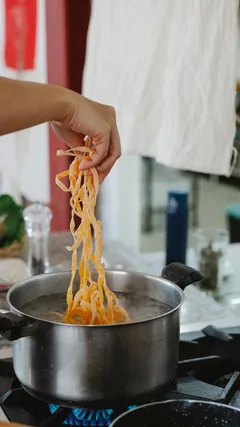
The pasta clip, its caption and the handle are made up for the illustration. Its share figure climbs by the package size on the chip, taken from the price list above.

Which TikTok videos get shared
Videos that someone can use, cook, buy or laugh at with a friend are the ones people tend to send on. If a clip makes a viewer think of one particular person, it has a reason to travel. The four tiles below cover the kinds of video that suit a share order best.
None of these needs a big following. What they have in common is a clear reason for one viewer to message another.
-
Tutorials and how-tos
A fix for a phone setting, a knot, a spreadsheet formula. People forward these to the friend who asked last week, and a visible share figure hints that others found the steps worth passing on.
-
Recipes
A dish made in a few minutes gets sent to whoever is cooking tonight. Show the finished plate in the first frame and put the ingredients on screen, so the clip is ready to forward.
-
Deals and finds
A discount, a new shop, a gadget that solved a small problem. Be specific. Name the price or the place clearly on screen, because the person receiving it will want that detail first.
-
Memes and in-jokes
Funny clips travel when they fit someone's group chat. Keep them short and put the joke on screen, so it lands with the sound off.
Before you buy TikTok shares: TikTok's rules
TikTok's Integrity and Authenticity guidelines forbid trading in services that boost engagement artificially, and shares are engagement. Any share order therefore goes against them, at any size, and what happens to a video afterwards is up to TikTok. The three columns quote the section, list the steps TikTok names and describe our part.
We read the guidelines live on 3 October 2026. The version quoted is marked as released on 25 August 2026.
-
The section in question
Under Deceptive Behaviors and Fake Engagement, TikTok's Integrity and Authenticity guidelines rule out services built to
trick the recommendation system
. They also bar automation tools or scripts meant to slip past TikTok's systems. -
Steps TikTok names
On detecting inauthentic metrics, TikTok says it will remove fake likes, followers
or other inflated signals
, so a share count can fall. For deceptive accounts it lists bans and restrictions, including limits on appearing in top search results. -
Our part, and its limits
We never sign in to your TikTok, send messages from it or change its settings. Nothing needs installing on your phone. Does TikTok pay you? Then read the guidelines in full first.
How many shares to put on one video
Keep it in proportion to the clip. Sharing takes more effort than a heart, because the viewer has to choose a person or an app, so a share figure far above the hearts would look odd. Size the order against what the video shows now. The chart beside this text gives the Standard price per share at each size.
Reading the chart
The bars come from the live Standard list. There, 100 shares cost $8.99 and 1,000 cost $60.99, about $0.06 a share against $0.09 at the smallest size.
Start with the clip's hearts
Look at the heart figure first. Then size the order to match. A video with a few hundred hearts sits comfortably with a smaller package, while one with thousands can take the larger sizes without standing out.
Match the rest of your grid
Visitors open more than one clip. If the shared video sits beside uploads with far lower figures, it reads as an outlier, so spread moderate orders over recent posts instead.
Order while the clip is new
Shares that build up in a video's first days match how people find and pass on clips. A sudden jump on something posted last year, with no new plays beside it, looks out of place.
The clip still does the work
A share figure can make someone curious. Whether they send it on themselves depends on the video: a clear first frame, a useful or funny payoff, and a reason to think of a friend.
Questions about buying TikTok shares
Is this about buying TikTok stock?
No. We don't sell stock in TikTok or any other company, and this page has nothing to do with investing. Here a share means one time a viewer passed your video on, through the Share button on the side of the post. An order adds to that count on the single video whose link you paste.
How much does it cost to buy TikTok shares?
The smallest package, 100 shares, costs $8.99. The price per share falls as packages grow, and the slider near the top shows the total and per-share price for every size. You pay once, in US dollars, with no subscription, and the same price applies in every language the site offers.
Do you need my TikTok password?
No. An order runs on the video's link plus an email address for updates. Passwords, login codes and access to your app are never part of it, and we won't request them. Should a message carrying the Buzzever name ask for any of those, it isn't from us; ignore it and tell our support team.
Is a repost the same as a share on TikTok?
Not quite. TikTok puts Repost inside the share menu, but a repost places the video in your friends' For You feeds with a repost label, while sharing sends it to a chosen person or app. TikTok's help pages don't say whether reposts add to the share figure, so we don't claim they do.
Will bought shares push my video onto the For You page?
We can't promise that. TikTok lists sharing among the user interactions that shape what each person is recommended, and says the weight of each factor changes. Buying engagement is also against its guidelines. An order changes the share figure; the video itself has to give people a reason to send it on.
Can the share count go down after delivery?
It can. When TikTok detects inauthentic metrics, its guidelines say inflated signals are removed, and that can include shares. Nobody can say in advance whether a given video will be affected. If the figure drops, our refund and refill policy, linked from the rules section above, sets out the next steps.
Can one order cover several TikTok videos?
No. An order attaches to the single link you paste, so three videos mean three separate orders. That way each one gets its own size, useful when one clip already carries far more hearts than the rest of your grid. Every order also has its own status page and emails.
More for your TikTok
All TikTok servicesShares lift one figure on one video. The pages below cover the rest of what TikTok shows: the play count on that clip, the hearts beside it, the thread underneath and the followers on your profile. Every one is priced separately, so mix them to suit each clip you post.
- TikTok Followers From $3.49
- TikTok Likes From $2.49
- TikTok Views From $1.49
- TikTok Comments From $2.49
- TikTok Live Stream Views From $2.49
Add TikTok views to lift the play count, TikTok likes for the hearts, or TikTok comments to start the thread. TikTok followers work on the profile rather than a video. The full list sits on the TikTok page, and Instagram posts have Instagram reposts.