How to get more views on TikTok, using your own analytics

On this page
In short
To get more views on TikTok, open TikTok Studio and find where viewers leave and how they find you. Then fix the first 5 seconds, write clear descriptions with 2 to 3 relevant hashtags, add captions, post when your viewers are active and stay eligible for recommendation.
Key takeaways
- Start in TikTok Studio. Retention rate shows the second viewers leave, and Search queries shows what people typed to find you.
- TikTok says search results lean most on how well a video matches the words someone searched.
- The Creator Academy recommends 2 to 3 relevant hashtags and on-screen text, since over 30% of surveyed users watch on mute.
- If TikTok marks your account ineligible for recommendation, you'll see a notice in Inbox and on your profile, and you can appeal.
The fastest way to learn how to get more views on TikTok is to stop guessing. Open TikTok Studio, find where viewers leave your videos and how the ones who stay found you, then fix those exact spots. That usually means a sharper opening, a clearer description for search, captions for people on mute and a steadier posting rhythm. It's all free, and it all compounds.
This guide is built around the analytics TikTok already gives you, plus TikTok's own Help Center and Creator Academy advice, checked in October 2026. No hacks, and no shortcuts that put your account at risk.
Start with the numbers TikTok gives you
TikTok's own My posts aren't getting views page sends you straight to the analytics dashboard. In the app, go to your profile, tap the menu, choose TikTok Studio, then Analytics and View all. On a computer, TikTok Studio has an Analytics tab on the left.
Three quirks to know before you read anything into it. Data can take 1 to 2 days to update. Analytics only exist for videos posted after you turned the feature on. And everything is shown in UTC except follower activity, which uses your local time.
These are the numbers that explain views, as TikTok's Introducing TikTok analytics guide defines them:
| Metric | What it tells you | What to change |
|---|---|---|
| Retention rate | How much of the video people watched, and where they dropped off | The opening and any slow middle |
| Average watch time | How long the average viewer stayed | Pacing and length |
| Watched full video | Your finish rate | The ending |
| Traffic source | How viewers found the post | Where to put effort: feed, search or profile |
| Search queries | The words that led people to your content | Titles, descriptions and next topics |
| Most active times | When your viewers were on TikTok in the last 7 days | Posting time |
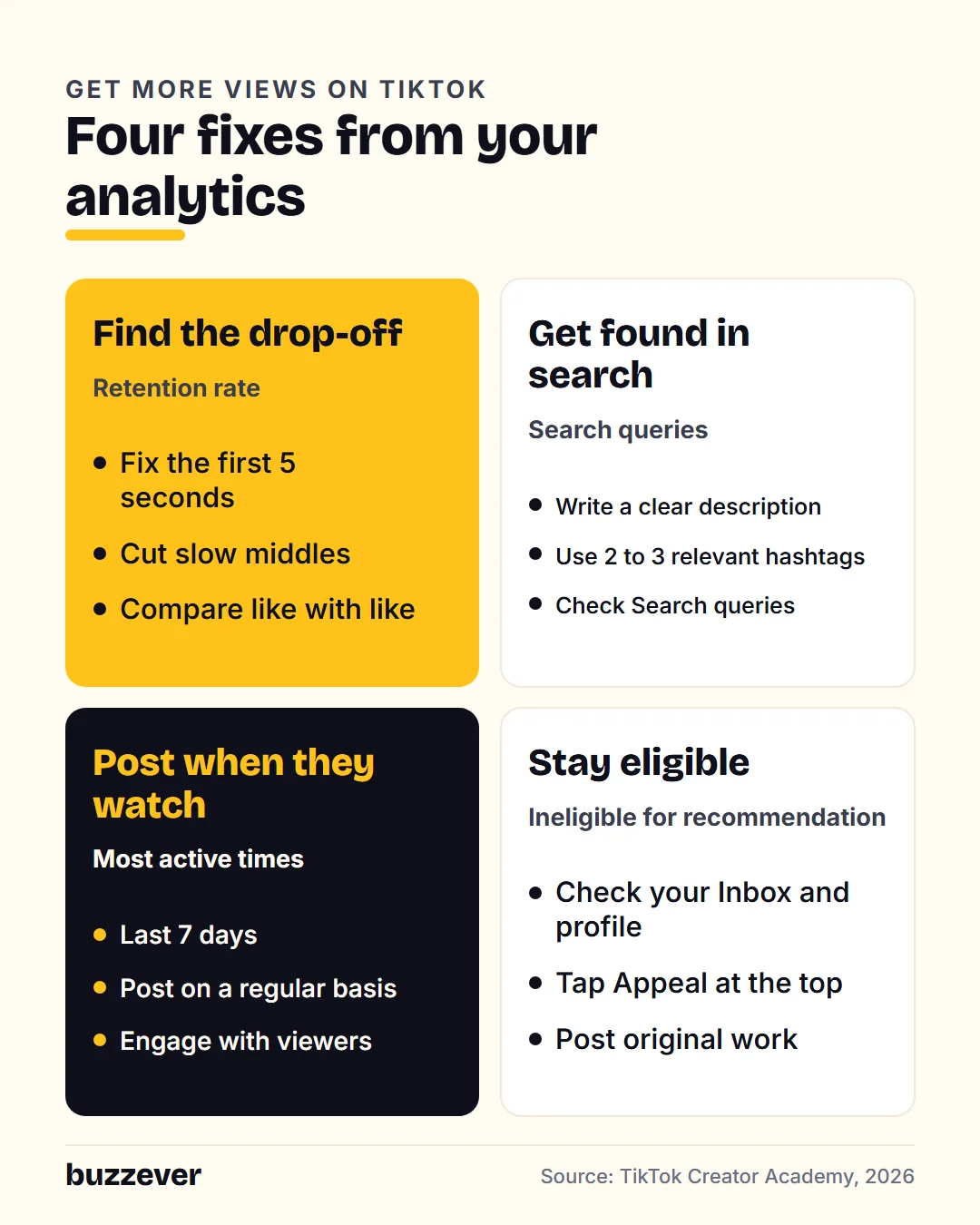
1. Find the drop-off
Open your last five videos one by one and look at the retention curve. TikTok's guide suggests checking what you covered at each drop-off point, and whether on-screen text or another element lost people.
Most of the time the cliff is at the start. The Creator Academy says hooking the viewer within the first 5 seconds is very important however long the video is. So fix the first 5 seconds before anything else: open on the most interesting frame, and cut the greeting.
If the curve sags in the middle instead, cut slow middles. Long setups, repeated points and B-roll that explains nothing are the usual suspects. Also check framing. TikTok advises keeping your subject centered and not covered by the buttons on the screen, which is easy to miss when you film in landscape.
One caution. Watched full video naturally changes with length, as TikTok notes, so don't compare the finish rate of a 12 second clip with a three minute tutorial. Compare like with like.
2. Get found in search
Views don't only come from the For You feed. TikTok's recommendations page says that for search, content information, including how well a video matches the term someone typed, is generally weighted more heavily than other factors. Hashtags and the sound used count too.
That gives you three jobs:
- Write a clear description. Say plainly what the video is about, using the words a person would search for. "Easy sourdough for beginners" beats "you won't believe this".
- Use 2 to 3 relevant hashtags. That's the Creator Academy's number, and it adds that less is more.
- Check Search queries. The report in TikTok Studio shows the exact phrases that brought people in. Each one is an idea for your next video.
Our free TikTok caption length checker helps you keep the description inside the limit before you post.
3. Make it watchable on mute
TikTok's Creator Academy says over 30% of TikTok survey respondents watch videos on mute and rely on captions for context. If your video only makes sense with sound, a big share of viewers scroll past.
Add auto-captions, a headline on screen, or an intro card that names the topic. It helps people with hearing loss and people on a bus alike, and it gives the viewer a reason to stay before the first word lands.
4. Post when they watch, on a regular basis
In TikTok Studio, the Viewers tab shows your most active times for the last 7 days, and the Followers tab breaks activity down by hours and days. Post on a regular basis, shortly before those peaks. Our TikTok best time to post tool is a reasonable starting point while your own data builds up.
Timing alone won't carry a weak video, though. TikTok's Help Center asks creators to upload high-quality content on a regular basis and to engage with viewers through comments and LIVE. A schedule you keep for three months will do more for your views than a burst of daily posts for one week. TikTok also encourages content longer than one minute; use that time when an idea genuinely needs it.
5. Stay eligible for recommendation
Sometimes views fall off a cliff for a reason that has nothing to do with hooks. TikTok's Why is my account not being recommended? page explains that if you repeatedly post content unsuitable for the For You feed, your account and posts won't appear there and will be harder to find in search.
You won't have to guess. TikTok says it notifies you in your Inbox notifications and on your profile, and shows which videos were flagged. If you think it's a mistake:
- Tap Inbox, then the notification that your account is ineligible for recommendation.
- Tap View more and review the flagged videos.
- Tap Appeal at the top.
You can also start from your profile by tapping the Ineligible for recommendation notice below your username. TikTok adds that it may restore an account to good standing automatically, depending on how much content isn't suitable. Going forward, post original work and keep an eye on the Community Guidelines.
Use your top posts as a template
Once a month, open "Your top posts" in TikTok Studio. It lists your 10 best videos for the period, ranked by views, likes, new viewers and new followers. Look for what they share. Same topic? Same type of opening? Similar length? Whatever repeats is your format. Make more of it, and drop the formats that never appear on the list.
What not to do
Skip anything that promises views without viewers. TikTok wrote in 2020 that videos seeking to artificially increase traffic may not be eligible for recommendation, which defeats the point. Don't re-upload other people's clips either; copies rarely travel. And don't rebuild your whole account over one bad week. Read two weeks of data, change one thing, then measure again.
Read next: How to go viral on TikTok: what the For You feed rewards, How to grow your TikTok account in 2026 and How to go live on TikTok: requirements, steps and replays.
Measure, fix, repeat
Pick one number this week, retention or search queries, and fix one thing in your next three videos. Then check again. Small changes that you can measure beat big guesses. For more on the platform, see Buzzever's TikTok page.
Questions readers ask
Why are my TikTok views suddenly so low?
Check your Inbox and profile for an ineligible for recommendation notice first. If there's none, compare retention and traffic source with your better weeks; a weaker opening or a change of topic is the usual cause.
Why does my TikTok analytics show no data?
TikTok says analytics can take 1 to 2 days to update, and only cover videos posted after you turned the feature on.
What time zone does TikTok analytics use?
UTC for almost everything. Follower activity is the exception, and it's shown in your local time zone.
How many hashtags should I use for more views?
TikTok's Creator Academy suggests 2 to 3 relevant hashtags per video.
Do longer TikTok videos get more views?
TikTok's Help Center encourages content longer than one minute, but length alone guarantees nothing. A long video that loses people early will show it in the retention rate.