How to go viral on TikTok: what the For You feed rewards

On this page
In short
Nobody can guarantee a viral TikTok, but TikTok publishes what its For You feed reads: watching, sharing, commenting and skipping. Hook viewers within 5 seconds, tell a short story, use sound that fits, make videos worth sending, and stay within the For You feed eligibility rules.
Key takeaways
- Nobody can promise a viral video, TikTok included. What TikTok does publish is which signals its For You feed reads.
- TikTok wrote in 2020 that follower count isn't a direct factor in recommendations, so a small account can still break out.
- The Creator Academy says to hook viewers within the first 5 seconds and to build each video like a short story.
- Videos that try to fake traffic, or copy someone else's, can lose their place in the For You feed entirely.
If you're searching for how to go viral on TikTok, here's the straight answer: make a video that strangers watch to the end and want to send to someone, and keep it inside TikTok's rules for the For You feed. That's what the app's own documentation points to. There is no secret hashtag and no magic posting minute.
Below, we walk through how TikTok says a video travels, then five things you control. Every platform claim links to TikTok's Help Center, Newsroom or Creator Academy, checked in October 2026. Going viral still involves luck. These steps just give the luck something to work with.
How a video spreads on the For You feed
TikTok's How TikTok recommends content page lists three groups of signals behind the For You feed:
- User interactions: what people like, share, comment on, and watch in full or skip.
- Content information: sounds, hashtags, the number of video views and the country the video was posted from.
- User information: device settings, language, location and time zone.
TikTok adds that how much each factor counts can change over time. Two other lines on that page explain how a video jumps from your circle to strangers. Some of its systems predict interest from people with similar tastes: if one group enjoyed your video, others like them may see it next. TikTok also says it deliberately mixes new creators into people's feeds to diversify what they see. That's the opening a small account needs.
And follower count? In a 2020 TikTok Newsroom post, the company wrote that neither follower count nor past high-performing videos are direct factors in recommendations. Bigger accounts still tend to get more views, simply because more people follow them. But the door isn't closed to a new account. The Creator Academy says the same thing more bluntly: you don't need 1 million followers to make it onto the For You feed.
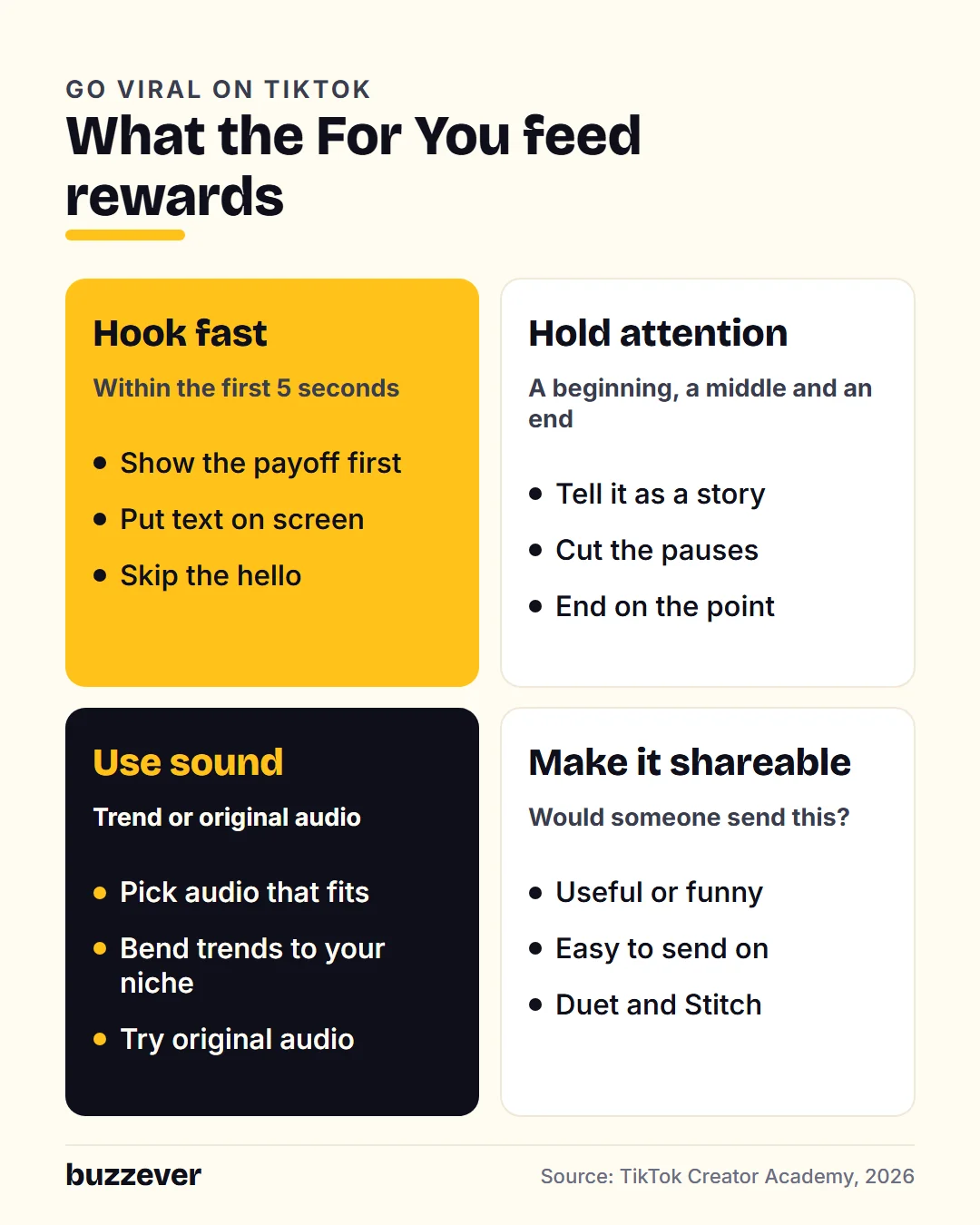
1. Hook fast
TikTok's Creator Academy says a strong opening shot matters, and suggests putting something that sparks interest early, ideally within the first 5 seconds. People decide whether to keep watching almost at once.
Three ways to do it:
- Show the payoff first. The finished room, the final score, the plate of food. Then rewind and show how.
- Put text on screen. One line that tells viewers what they'll get if they stay.
- Skip the hello. Introductions are where scrollers leave. Start mid-action.
2. Hold attention to the end
Getting someone to stop is half the job. Keeping them there is the other half. In its 2020 explanation, TikTok said a strong indicator of interest is whether someone finishes a longer video from beginning to end, and it gives that more weight than weak signals.
The Creator Academy's advice is to tell it as a story, with a beginning, a middle and an end. A cooking video works this way naturally: the problem (a fridge with three ingredients), the attempt, the result. So does a before and after, a mistake and its fix, or a question and its answer.
Then edit hard. Cut the pauses between sentences, the second take of the same point, the shot where you reach for the camera. End on the point, not on a fade out. If the last few seconds feel slow on your third watch, they'll feel slower to a stranger.
3. Use sound
TikTok treats sound as content information, and the Creator Academy is unusually direct about it. It says videos with background music get, on average, 98.31% more views per video than those without. That's TikTok's own figure; it doesn't publish the method, so take it as a strong hint rather than a law.
Trend or original audio? The Academy says both can work: a sound linked to a trend, or original audio you made yourself. Our rule of thumb: pick audio that fits the mood of the video, bend trends to your niche instead of copying the dance, and try original audio when you have something to say. A voiceover explaining a quick tip counts.
4. Make it shareable
Shares are one of the interactions TikTok names, and they're the one that carries a video to people who've never seen your account. Before posting, ask yourself one question. Would someone send this to a friend with "this is so you" or "you need this"?
Videos that get sent around are usually useful or funny, and short enough to watch again. Make it easy to send on: a clear title on screen tells the recipient what they're opening. Reposts help too. TikTok's Repost feature drops a video into the reposter's followers' For You feed, labeled with their name, so a video worth reposting reaches a new circle.
Don't forget other creators. TikTok's How to grow your audience page suggests reaching out to similar creators and collaborating through Duet and Stitch, as well as LIVE. A Duet with a bigger account in your niche puts you in front of an audience that already likes the topic.
5. Stay eligible for the For You feed
This is the step people skip, and it decides whether any of the others matter. TikTok says it doesn't recommend content in the For You feed that, while allowed on TikTok, doesn't meet its For You feed eligibility standards, which sit in its Community Guidelines.
The 2020 newsroom post names a few more things that may not get recommended: duplicated content, spam, and videos that try to artificially increase traffic. So no re-uploads of other people's clips, and no engagement tricks.
One more line is worth knowing. TikTok's safety teams may review certain content as it rises in popularity. A video that starts climbing fast can get a second look, so a borderline joke or a risky stunt can stall at exactly the wrong moment.
Viral myths vs what TikTok says
| Myth | What TikTok's pages say |
|---|---|
| You need a big following first | Follower count isn't a direct factor (Newsroom, 2020) |
| #fyp in every caption gets you on For You | Hashtags are one piece of content information; the Creator Academy suggests 2 to 3 relevant ones |
| There's one perfect time to post | TikTok publishes no universal time; TikTok Studio shows when your own viewers are active |
| A viral video stays viral | TikTok mixes in new creators and typically avoids showing people content they've already seen |
If a video does take off
Move quickly. Answer the best comments while people are still arriving. Post a follow-up on the same topic within a day or two, so new viewers who visit your profile find more of what brought them. Then open TikTok Studio and check the traffic source for that video, so you know whether the For You feed, search or shares did the work. That tells you what to repeat.
Read next: How to get more views on TikTok, using your own analytics, How to grow your TikTok account in 2026 and How to repost on TikTok, and how to undo it.
Give luck something to work with
You can't force a hit. You can make videos that open strong, finish strong and are worth sending to a friend, and you can keep them within TikTok's rules. Do that often enough and the odds turn in your favor. For more on the platform, see Buzzever's TikTok page.
Questions readers ask
How many views count as viral on TikTok?
TikTok doesn't define a number. In everyday use, "viral" means a video that reaches far beyond your usual audience, and that's a very different figure for an account with 300 followers than for one with 300,000.
Can a new TikTok account go viral?
Yes. TikTok wrote in 2020 that follower count and past hits aren't direct factors, and its feeds deliberately include new creators. A small account still needs a video people watch and share.
Does using #fyp help you go viral?
There's no official sign that it does. TikTok's Creator Academy recommends 2 to 3 hashtags that are relevant to the video, so a topic tag will usually do more than a generic one.
How long does it take for a TikTok to go viral?
TikTok doesn't publish a timeline, and it doesn't promise that any video will spread at all. Judge a video on its own numbers in TikTok Studio rather than a clock.
Why did my views stop after a video went viral?
TikTok says it typically doesn't recommend content people have already seen, and it mixes other creators into feeds. Once a video has reached the people most likely to enjoy it, it slows down. Your next video starts fresh.