How to promote your business on Facebook: free steps first, paid last
On this page
In short
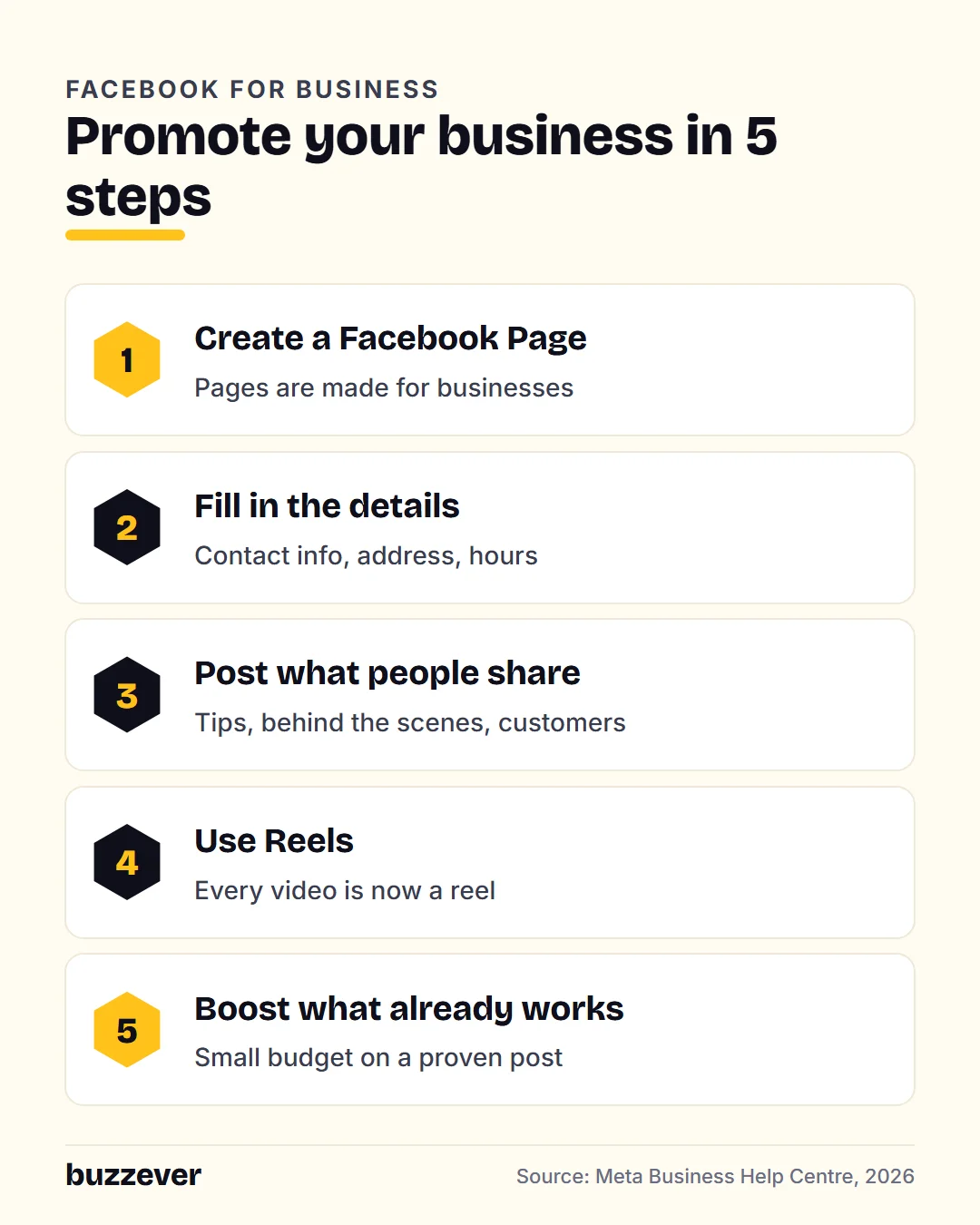
To promote your business on Facebook, create a Page, fill in your contact details, address and hours, post things people want to share, and use Reels, since every Facebook video is now a reel. Then put a small budget behind a post that already performs, with Boost Post, or use Ads Manager for more control.
Key takeaways
- Start with a proper Facebook Page, not a personal profile: Meta says Pages are made for businesses, brands and organisations.
- Fill in the details customers look for: what you do, contact info, address and opening hours.
- Post things people want to share, and use Reels: since 2025 every video on Facebook is published as a reel, at any length.
- Only pay to promote a post that already does well on its own. Meta itself suggests boosting posts that got lots of comments, likes and shares.
- Boost Post is the quick option; Ads Manager gives you more goals, targeting and control.
If you want to know how to promote your business on Facebook, the advice online splits in two. Meta's own pages talk almost only about ads, and most blog posts talk only about free posting. Small businesses need both, in the right order: a Page that answers customers' questions, posts people actually share, and then a modest paid push behind what's already working.
This guide follows that order. Every Facebook feature it mentions is checked against Meta's Help Centre and Business Help Centre in October 2026.
1. Set up a Facebook Page for the business
Meta's Help Centre says Facebook Pages are for businesses, brands, organisations and public figures to share updates and connect with people. A Page is different from professional mode on a personal profile, and different from a Group, which is for people with a shared interest. When someone follows your Page, your updates can appear in their Feed.
Creating one takes a few minutes: go to Pages in the menu, choose Create, add a name and an optional bio, then your contact details, location and hours, a profile photo, a cover photo and an action button. Meta also offers to connect your WhatsApp and invite friends during setup.
2. Fill in the details customers look for
A half-empty Page looks closed. Meta lists the sections you can add to your Page, and for a business the ones that matter most are:
- Intro: one or two sentences on what you do and for whom.
- Services: what you offer and any credentials.
- Contact info: phone, email and your other social links.
- Details: address, business hours and price range.
Meta's advice for local businesses starts with the same step: keep your address, hours and contact information up to date so people can reach you and find the shop.
3. Post what people want to share
Followers see your posts, and their friends see what they share. That makes shareable posts the cheapest promotion you have. Ideas that tend to work for small businesses:
- Behind the scenes: how the product is made, the team, the first coffee of the morning.
- Useful tips: a florist on keeping flowers fresh, a mechanic on what a warning light means.
- Real customers: photos and stories, shared with their permission.
- Local news: events you're part of, partners nearby, changes to hours.
- Questions: ask people to choose the next flavour, colour or product.
Keep a steady rhythm you can manage, and reply to comments and messages quickly. A Page that answers looks open for business.
4. Use Reels for reach
Meta renamed Facebook's Videos tab to the Reels tab in June 2025, and says all videos posted to Facebook are now shared as reels, in any length or orientation. Reels can appear in Feed, the Reels tab and your profile, which gives them a chance of reaching people who don't follow you yet.
Short how-to clips, before and after shots and quick product demos suit most businesses. Open with the result, add captions for people watching on mute, and end with one clear next step, such as visiting the shop or sending a message.
5. Join the conversation where your customers are
Groups are where people with a shared interest talk. A bakery might belong to a local food group, a bike shop to a cycling group. Read each group's rules first: some don't allow adverts at all, but most welcome a helpful answer. Being the business that answers questions well brings people to your Page without a hard sell.
6. Boost what already works
Once a post does well on its own, put a small budget behind it. Meta explains in its guide to boosted posts that a boosted post is an ad made from a post already on your Page, and that if a post received a lot of comments, likes and shares, it probably resonated, so boosting it can help you reach people who haven't seen your Page.
When you boost a post, you choose:
- a goal, or let Facebook pick one based on your settings;
- an audience, either recommended or built from traits such as interests, age and gender;
- a duration and a daily budget;
- placements, such as also showing it on Instagram.
One tip from Meta's own page: boosting from the Facebook app on an iPhone or iPad may add an Apple service fee of 30% of the ad payment, kept by Apple. Boosting from a computer avoids it.
Check results in the Ad Centre on your Page. If a boosted post keeps doing well, Meta says you can boost it again.
Boost Post, Promote or Ads Manager?
| Tool | Best for | Trade-off |
|---|---|---|
| Boost Post | Getting a proven post in front of more people, quickly, from your Page or phone | Fewer targeting and customisation options than full ads |
| Promote button | A specific business goal, such as leads, website visits or promoting your shop locally, with suggestions built from your Page | Less control than Ads Manager |
| Ads Manager | Full control: objectives like leads and sales, advanced audiences, testing and all placements | Takes longer to learn |
Meta's own recommendation, on its page about the different ways to promote your business, is to start with ads from your Page if you're new to advertising, and move to Ads Manager when you want more options.
Measure, then repeat
Once a month, look at which posts got the most shares, comments and messages, and which boosted posts brought visits or enquiries. Make more of the first kind and boost the best of them. Drop the post types that never get a reaction.
Read next: How to become an influencer: 6 steps, rules included and How to grow your Instagram in 2026: a 7-step plan.
Start this week
Fill in every detail on your Page today, post three things people might share this week, and boost only the one that does best. For more on the platform, see Buzzever's Facebook page.
Buzzever also offers Facebook followers for Pages that want a higher starting count, with no password needed. They change a number on your Page, not how Facebook ranks your posts.
Questions readers ask
How can I promote my business on Facebook for free?
Create a Facebook Page, fill in your contact details, address and hours, post things people want to share, use Reels, reply quickly to comments and messages, and take part helpfully in relevant Groups within their rules.
How much does it cost to promote a business on Facebook?
You set the budget. When you boost a post, you choose a daily budget and a duration, and Facebook shows recommended amounts. There's no fixed price, so start small with a post that already performs well.
What's the difference between boosting a post and running an ad?
A boosted post is an ad made from a post already on your Page, with simpler targeting. Ads created in Ads Manager offer more objectives, such as leads and sales, more placements and more advanced audiences.
Should my business use a Page or a personal profile?
A Page. Meta says Pages are for businesses, brands, organisations and public figures, and they come with business details and the tools to promote posts.
Do Facebook Reels help a business page?
Reels can appear in Feed, the Reels tab and your profile, so they can reach people who don't follow you yet. Since June 2025, all videos posted to Facebook are shared as reels.