How to grow your Instagram in 2026: a 7-step plan

On this page
In short
To grow your Instagram, pick one clear topic, set up your profile so a new visitor knows why to follow, post Reels that people want to share or save, use up to five specific hashtags, reply to comments, and check Insights weekly to repeat what works. Expect steady progress over months, not overnight.
Key takeaways
- Instagram's Help Center now allows up to five hashtags on a post, so a few specific tags beat a long list.
- Reels can run from 3 seconds to 3 minutes. The length should follow the idea, and the opening seconds still decide whether people stay.
- Trial reels let you show a new idea to people who don't follow you before your followers see it.
- Shares, saves and follows per post tell you more than likes. Check them once a week and repeat what works.
- Follow-for-follow and engagement pods add people who never wanted your posts. Skip them.
Most advice on how to grow your Instagram was written for an app that no longer exists. Some of the guides that rank today still tell you to post 30 hashtags, others never mention Reels, and plenty skip the one habit that matters most: checking what actually brought you followers. This guide is the 2026 version. It's seven steps, in the order we'd do them on a new or stalled account, and every platform rule in it links to Instagram's own pages so you can check it yourself.
None of this is a shortcut. Accounts grow when the right people find posts they want to share, and that takes weeks of steady work. What you can control is how clear your account is, how good each post is, and how quickly you learn from the numbers.
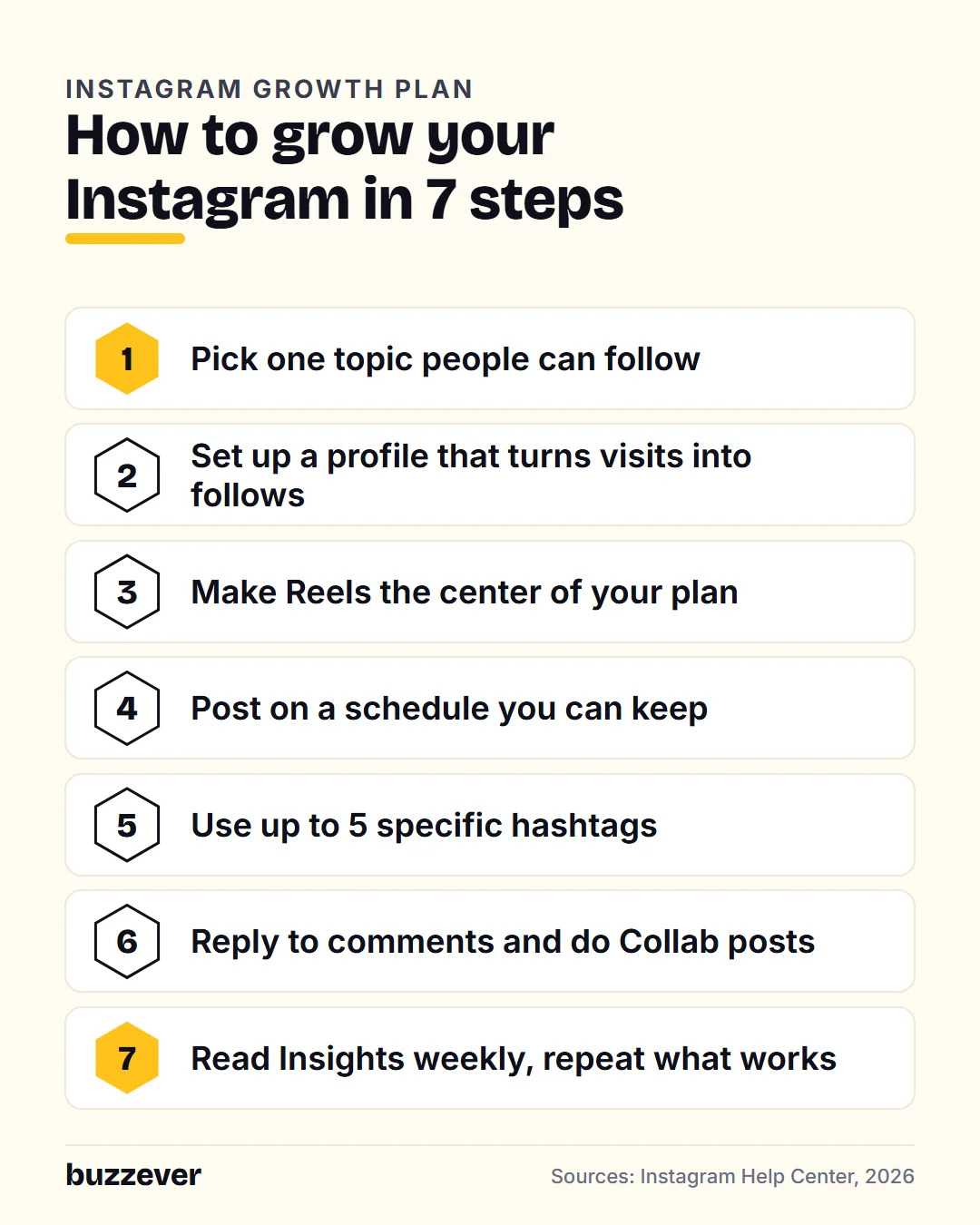
1. Pick one topic people can follow you for
When someone lands on your profile from a Reel, they decide in a few seconds whether to follow. They look at three or four posts and ask one question: will I get more of what I just liked? An account that posts recipes on Monday, gym selfies on Wednesday and memes on Friday makes that answer hard.
So start narrow. Pick a topic where three things overlap:
- something you know well enough to explain,
- something you can post about every week without running dry,
- something people actually look for, which you can test by typing it into Instagram search and seeing what comes up.
A quick test: write the sentence a stranger would use to describe your account to a friend. "She posts 30-second vegetarian dinners" works. "She posts about lifestyle" doesn't. You can widen the topic later, once people follow you for the first one.
2. Set up a profile that turns visits into follows
Your profile is the page that converts a viewer into a follower, so treat it like one. Four things do most of the work.
Name field and username
The name field is searchable, so put the topic word there as well as your name, for example "Maya | Easy vegetarian dinners". Keep the username short and easy to spell.
Bio and link
Say who the account is for and what they get, in one or two lines, and end with one clear next step. If you add a link, point it at the single page you most want people to visit.
Professional account
Switch to a creator or business account in settings. It's free, and it gives you Insights, the numbers you'll use in step 7. It also changes what some features ask of you: trial reels, for example, open at a lower follower count for professional accounts than for personal ones.
Highlights and pinned posts
Pin up to three posts that show what the account is about, and keep a couple of Story Highlights that answer the questions new visitors ask.
3. Make Reels the center of your plan
Reels are where most people meet accounts they don't follow yet, which makes them the main way to reach new viewers. Instagram's own Reels guide, updated in September 2026, says Reels can be anywhere from 3 seconds to 3 minutes long. Length isn't the goal, though. Make the video as long as the idea needs and no longer.
Earn the first three seconds
Open with the result, not the warm-up. Show the finished dish, the before and after, or the answer to the question in the caption, then explain how you got there. If the first frame looks like every other video in the feed, people swipe.
Test new ideas with trial reels
Trial reels go to people who don't follow you first, so you can see how an idea lands before your followers see it, and you can share a trial reel with your followers at any time. According to Instagram's Help Center, you need a public account with at least 200 followers on a professional account, or at least 1,000 on a personal one. They're useful when you want to try a new format without filling your grid with experiments.
Captions on screen
A lot of people watch with the sound off. Add captions or short on-screen text so the video still makes sense on mute.
4. Post on a schedule you can keep
Instagram doesn't publish an official posting frequency. Many growth guides, and Google's own AI summary for this search, land on three to five posts a week. Treat that as a starting point, not a rule. A schedule you can keep for six months beats a daily one you drop after two weeks.
Use each format for a different job:
| Day | Format | Job |
|---|---|---|
| Monday | Reel | Reach people who don't follow you yet |
| Wednesday | Carousel | Teach one thing in steps, the kind of post people save |
| Friday | Reel | Try a new hook or format, or post it as a trial reel |
| Most days | Stories | Keep current followers close with polls, questions and behind the scenes |
5. Use hashtags and keywords the 2026 way
Hashtags used to be a reach trick. Now they're closer to labels. Instagram's Help Center says plainly: "You can use up to 5 tags on a post." That rules out the old 30-tag block, and it pushes you toward tags that describe the post precisely.
- Pick three to five tags that describe the post itself, such as #vegetariandinner rather than #food.
- Write the caption with the words people would type into search, not just the hashtags.
- Add alt text to photo posts in the advanced settings. It helps people using screen readers and gives the post one more plain description.
6. Talk to people, not just at them
An account that replies grows a community. One that only broadcasts grows an audience that drifts away. Small habits add up:
- Reply to comments, especially in the first hour or so after you post, when people are still on the post.
- End captions with a question someone can answer in a few words.
- Answer DMs, and save the questions you get often. They're your next posts.
- Use Collab posts with an account in your topic, so the post shows up for both audiences.
Skip follow-for-follow, mass following and engagement pods. They inflate numbers with people who never wanted your posts, which makes your Insights harder to read and your account look less focused.
7. Read Insights once a week and repeat what works
This is the step most guides leave out. Open Insights from your professional dashboard once a week and look at the same few numbers each time.
| Number | What it tells you |
|---|---|
| Accounts reached, followers vs non-followers | Whether a post found new people or only your current followers |
| Shares | Whether people thought it was worth sending to a friend, the clearest sign a post can travel |
| Saves | Whether it was useful enough to keep, typical of good carousels |
| Follows from the post | Whether it turned viewers into followers, the number that matters most here |
Then run a simple monthly loop. Find your three best posts by follows, make three more posts like them with a fresh angle, and drop the format that keeps failing. After two or three months you'll have your own data on what your audience wants, which is worth more than any general guide, this one included.
Read next: How to make a reel on Instagram, step by step, Instagram captions: ideas by purpose, plus the rules and Instagram bio ideas: a simple formula and 18 patterns to adapt.
Keep growing
Pick one step from this guide and do it this week. Most accounts get the biggest lift from step 1 and step 7, because they decide what you post and whether it worked. Everything we cover for the platform is on Buzzever's Instagram page.
Buzzever also sells services such as Instagram followers, with no password needed and a 30-day refill under our refund and refill policy. They change a count, not how Instagram ranks your posts.
Questions readers ask
How do I grow my Instagram account fast?
There's no instant method that lasts. The fastest steady growth comes from a clear topic, Reels that hook in the first seconds, a schedule you can keep and a weekly look at which posts brought follows. Most accounts see real change over a few months, not days.
How do I get my first 1,000 followers on Instagram?
Make the profile clear, post three to five times a week with Reels at the center, reply to everyone and team up with similar accounts through Collab posts. Once a post brings follows, make more like it. That loop usually matters more than any single viral post.
How many hashtags should I use on Instagram in 2026?
Up to five. Instagram's Help Center says you can use up to 5 tags on a post. Choose specific tags that describe the post rather than broad ones like #love or #instagood.
Who can use trial reels on Instagram?
Instagram's Help Center says you need a public account with at least 200 followers if it's a professional account, or at least 1,000 followers if it's a personal account. Trial reels are shown to people who don't follow you first.
How long can an Instagram Reel be?
From 3 seconds to 3 minutes, according to Instagram's own Reels guide. Short Reels suit quick ideas and trends. Longer ones suit tutorials, as long as the opening gives people a reason to keep watching.