Instagram captions: ideas by purpose, plus the rules

On this page
In short
Choose what a caption should do first: start a conversation, teach, tell a story or sell, then pick a pattern from that group. Instagram Help says you can use up to 5 hashtags on a post, and you can edit a caption after posting.
Key takeaways
- Pick the caption's job before you write it: start a conversation, teach, tell a story or sell. Each needs a different first line.
- Instagram Help says you can use up to 5 hashtags on a post. Spaces and special characters like $ or % don't work in them.
- You can edit or delete a caption after posting, so a typo isn't a reason to delete the whole post.
- People search Instagram with keywords, so a plain description of what's in the post beats a vague one-liner.
Good Instagram captions do one job each. A caption that asks a question gets replies. One that teaches gets saves. One that tells a story gets read to the end. Most lists of caption ideas mix all of these together, which is why the lines sound fine and do nothing. This guide groups ideas by purpose, so you choose the job first and the words second.
Every rule about hashtags and editing below comes from Instagram's Help Center, checked in October 2026. The caption ideas are patterns to adapt, not lines to paste. If thousands of accounts use the same caption, it tells your followers nothing about you.
What Instagram's rules say about captions and hashtags
The official rules are short. Here's what Instagram's hashtag guide says today:
- You can use up to 5 hashtags on a post. Instagram says that if you include more than 5 on a single photo or video, it won't post.
- Hashtags can go in the caption or in a comment.
- On a public account, a hashtagged post shows on that hashtag's results. Posts from private profiles don't appear publicly.
- Numbers work in hashtags. Spaces and special characters such as $ or % don't.
- You can only add hashtags to your own posts.
Five hashtags isn't much, so choose them the way you'd label a box in storage, describing what's actually inside rather than adding whatever sounds popular that week. One for the topic, one for the format, one for the place or community, and stop. The free hashtag generator suggests options from a keyword, and the hashtag counter catches it if you've gone over.
Instagram's Help Center doesn't list a caption character limit on the pages we checked, so we won't quote one. If you're writing something long, paste it into our caption length checker before you post.
Made a mistake? Instagram lets you add, edit or delete a caption after sharing. Tap the three dots above the post, tap Edit, fix it and tap Done.
A three-part caption that works for almost anything
Most strong captions do three things, in this order:
- A first line that earns the tap. It's the line people read first while they scroll, so make it specific. "I burned three batches before this worked" beats "New recipe!".
- The point. One tip, one story or one detail about the photo. Keep it short, and break long text into small paragraphs. Our line break tool helps keep the spacing you meant.
- One next step. A question, a "save this", or a pointer to your link. Pick one. Three calls to action cancel each other out.
Write the words people would actually search for, too. Instagram says you can search using keywords to find photos and videos, not just accounts and hashtags. "Lemon olive oil cake, no mixer" says more than "Sunday vibes".
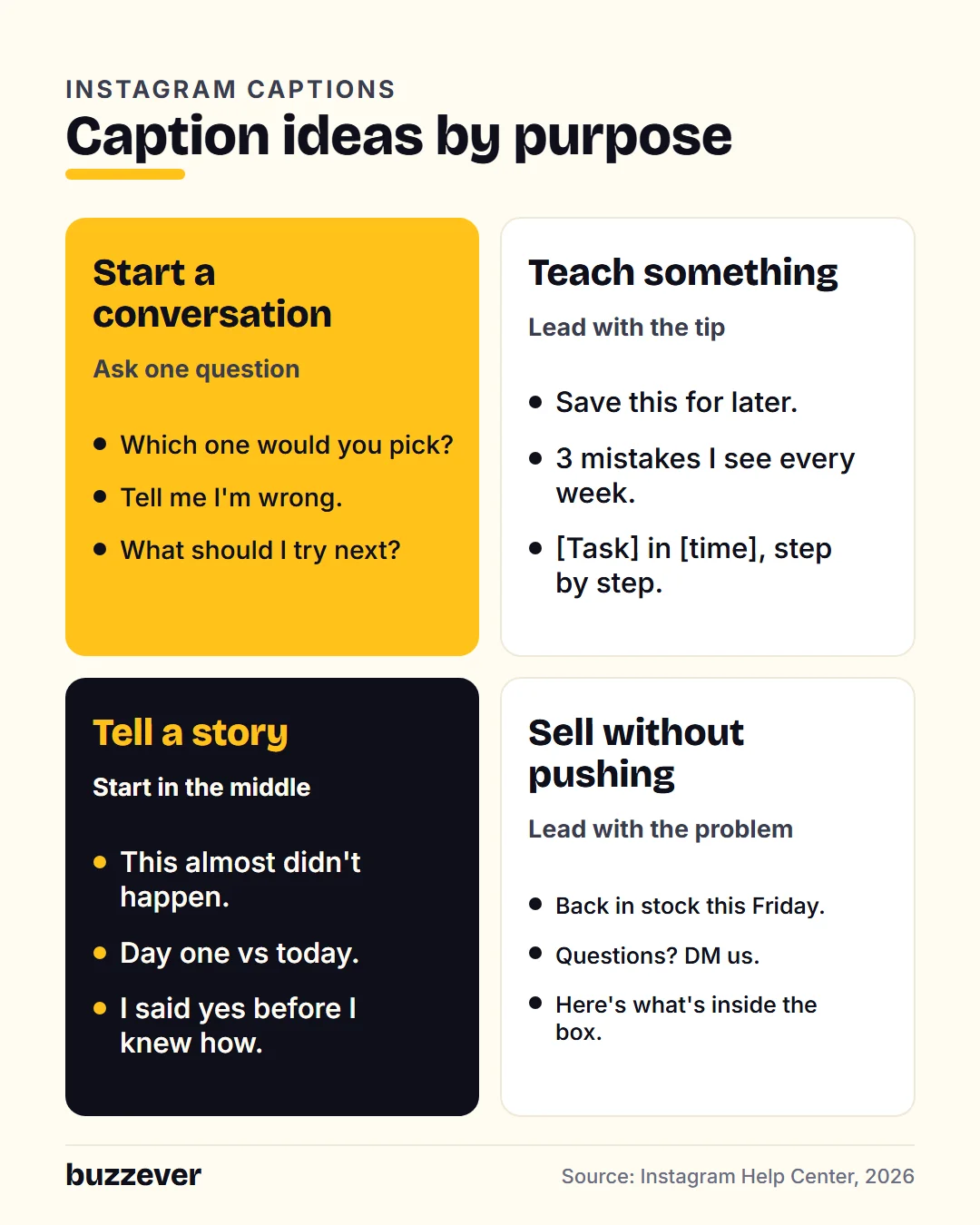
Instagram caption ideas by purpose
Start a conversation
Use these when you want comments, and ask one question that's easy to answer in a few words from someone scrolling with one thumb on the bus. Open questions like "thoughts?" get ignored.
- "Which one would you pick?" Works for any post with two or more options.
- "Tell me I'm wrong." Pair it with a mild, honest opinion about your topic.
- "What should I try next?" Good for series, recipes, workouts and builds.
- "Be honest: have you ever [common mistake]?"
- "Rate this out of 10. No mercy."
Teach something
Use these for posts people should keep. Lead with the tip itself, not a warm-up.
- "Save this for later." Put it at the end, after the tip, not at the start.
- "The one setting I wish I'd changed sooner." Then name the setting.
- "3 mistakes I see every week." Number it only if you list them.
- "[Task] in [time], step by step."
- "If you only remember one thing from this post, make it [tip]."
Tell a story
Use these when the photo has a moment behind it, and start in the middle of the action instead of explaining how the day began and who was there.
- "This almost didn't happen." Then explain why.
- "Day one vs today." Great with a carousel.
- "What nobody saw behind this shot." A small, real detail works best.
- "I said yes before I knew how."
- "The plan was simple. It was not simple."
Sell without pushing
Use these when you have something to offer. Lead with the problem it solves, then make the next step obvious.
- "Back in stock this Friday." Specific dates beat "soon".
- "Made for [who], not for everyone." Naming the buyer helps the right people recognise themselves.
- "Questions? DM us." Short and clear.
- "Here's what's inside the box."
- "Our most asked question, answered."
Short captions for photos that speak for themselves
Not every post needs a paragraph. A short caption works when the image does the talking. Keep it specific to the moment, though. "Golden hour at the harbour wall" places the photo; "living my best life" could be anyone's.
- "[Place], [month]."
- "Proof I left the house."
- "Plot twist: it rained."
- "Same spot, ten years later."
Want variations on any of these? The free Instagram caption generator turns a topic into several drafts you can edit into your own voice.
Caption habits worth dropping
Some habits make captions weaker. Stuffing in hashtags won't help, and past 5 Instagram won't post them at all. Copying a viral caption word for word makes your post look like thousands of others. Fancy Unicode fonts can be fun for a name, but use them sparingly in captions, because some screen readers struggle with them; if you want them anyway, our font generator lets you preview how they look. And don't write "link in bio" unless there's a link in your bio that matches the post.
For more ideas on profiles, stories and growth, browse Buzzever's Instagram guides.
Read next: Instagram bio ideas: a simple formula and 18 patterns to adapt, Emoji meanings: what 47 popular emoji really mean and How to make a reel on Instagram, step by step.
Write for one job at a time
Before your next post, ask what you want people to do: reply, save, read or buy. Pick a line from that group, make it about your post, add up to five hashtags that describe it, and share.
Questions readers ask
How many hashtags can I use on Instagram?
Instagram's Help Center says you can use up to 5 hashtags on a post. If you add more than 5 to a single photo or video, it won't post.
Should hashtags go in the caption or a comment?
Either works. Instagram says you can add hashtags in the caption or in the comments of your own post. On a public account the post then appears on that hashtag's results.
Can I edit an Instagram caption after posting?
Yes. Tap the three dots above the post, tap Edit, change the caption and tap Done. You can also delete the caption or add one to a post that had none.
What makes a good Instagram caption?
A specific first line, one clear point and one next step. Decide whether the caption should start a conversation, teach, tell a story or sell, and write for that one job.
How long should an Instagram caption be?
As long as the job needs. A short line suits a strong photo; a tip or story can run longer if you break it into short paragraphs. Check long captions with a length checker before posting.