How to make a reel on Instagram, step by step

On this page
In short
Tap Create at the bottom of your Feed, tap REEL, then record or add clips up to 20 minutes in total. Edit on the timeline, add a cover and caption, and tap Share. Instagram says reels over 3 minutes won't be recommended to new audiences.
Key takeaways
- To start a reel, tap Create at the bottom of your Feed, then tap REEL.
- Instagram lets you record and edit reels up to 20 minutes, from one clip or several.
- Instagram says reels over 3 minutes won't be recommended to new audiences, so keep reach-focused reels shorter.
- Drafts live on your phone only. Delete the app and they're gone.
Here's how to make a reel on Instagram in one line: tap Create, tap REEL, record or add your clips, edit them, write a caption and tap Share. That's the whole loop, and it takes a couple of minutes once you've done it twice. The details are where people get stuck, like the length limit, the music that won't download with your video, or a draft that disappeared.
The steps below follow Instagram's own guide to recording a reel, checked in October 2026 on the iPhone app. Android looks almost the same. Button names can shift a little between app versions, so if something isn't exactly where we say, look nearby.
Before you start
Two quick checks. First, Instagram says Reels isn't available to everyone yet, and some accounts can watch reels without being able to record them. If you can't find the REEL option, update the app and look again. Second, decide on your length. You can go up to 20 minutes in total, but Instagram notes that reels over 3 minutes won't be recommended to new audiences. If you want people who don't follow you to see it, stay under that.
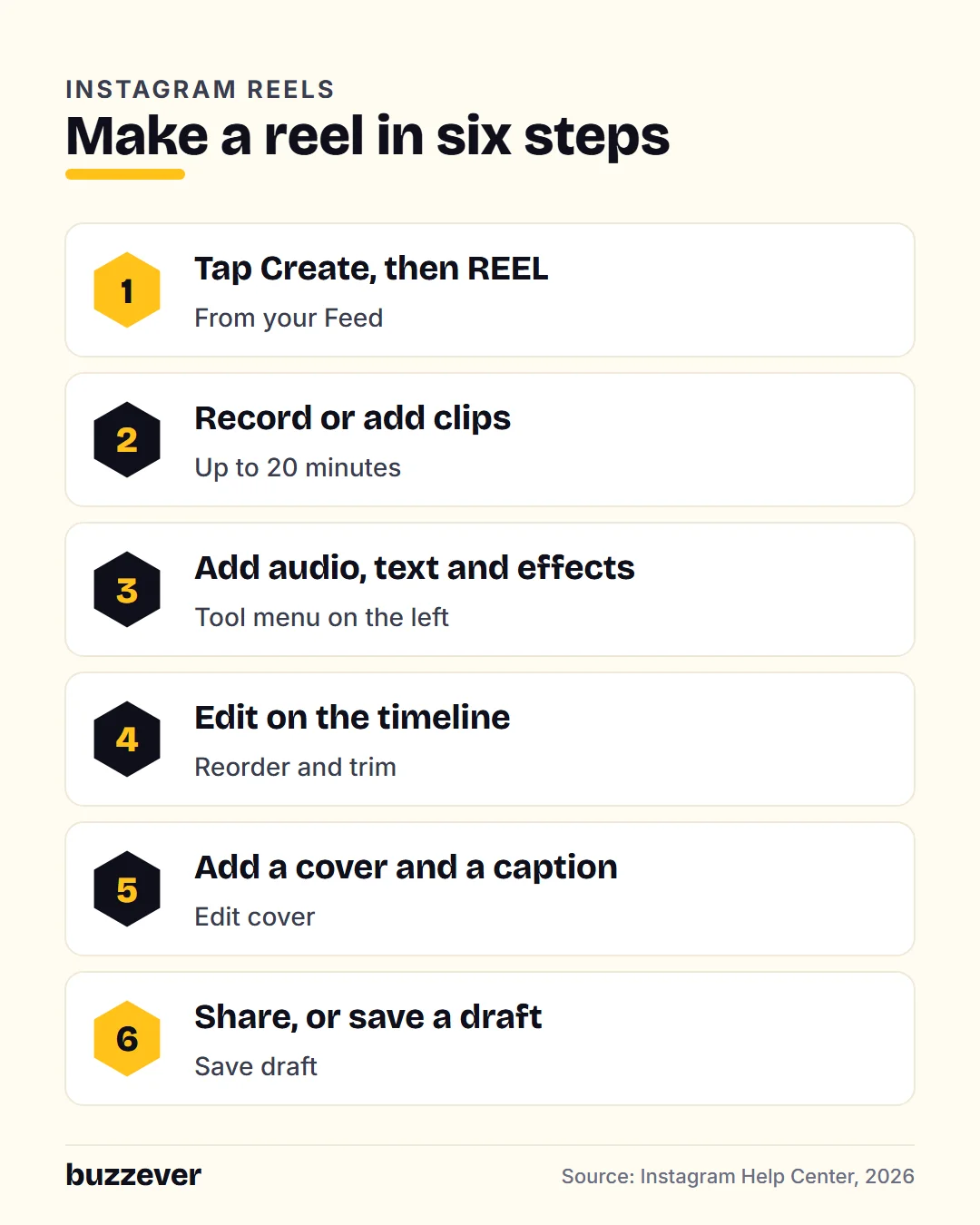
Make a reel in six steps
1. Tap Create, then REEL
From your Feed, tap Create at the bottom of the screen. Then tap REEL at the bottom. Tap the camera at the top if you want to record something new.
2. Record or add clips
Tap and hold the record button to film a clip, or tap once to start and again to stop. Prefer to edit footage you already have? Tap your camera roll in the bottom left. You can mix both, and the progress bar at the top shows how much of your time you've used. All your clips together can run up to 20 minutes.
3. Add audio, text and effects
The reels tool menu on the left lets you add audio, effects and layouts, or change how you record. After you tap Next, you can also add audio, text, stickers and effects. Text matters more than people think, because plenty of viewers watch with the sound off and a short line on screen tells them what the reel is about.
4. Edit on the timeline
Tap Edit video in the bottom left. You get a timeline showing your clips plus everything you've added, like text, stickers and music. Tap text or a sticker to change it, or hold and drag it to another moment. Tap the music to replace it. Use Reorder to move clips around, and the trimmers on each clip to cut the dead air at the start and end. Reorder and trim until nothing drags. Trimming is where most reels get better.
5. Add a cover and a caption
Tap Next. Here you can tap Edit cover to pick a frame or upload an image, write a caption, add a location or a fundraiser, and choose whether to share to Facebook. Under More options you can allow your reel to be used as a template or downloaded by others. Stuck on the words? Our free Instagram caption generator gives you a few drafts to edit.
6. Share, or save a draft
Tap Share and it's live. Not ready? Save it as a draft instead. We cover drafts properly below, because they behave differently from what most people expect.
Reel limits at a glance
| Rule | What Instagram says |
|---|---|
| Maximum length | Up to 20 minutes, one or more clips |
| Reach to new audiences | Reels over 3 minutes aren't recommended to them |
| Drafts | Saved on your device only, no limit on how many |
| Downloading your reel | Music from Instagram's library isn't saved |
| Trial reels | Public account with at least 200 followers (professional) or 1,000 (personal) |
Drafts: where they go and how to lose them
According to Instagram's drafts page, drafts are saved on your device, not your account. Log in on another phone and you won't see them. Uninstall the app and they're gone for good. There's no limit to how many you can keep.
To save one, tap Next on the reel you're making, tap Next again, then Save draft. To find it later, go to your profile, tap Reels below your profile info, then Drafts.
One more trap. If you download your reel to your phone, any music you added from Instagram's music library won't be saved in the file. Keep that in mind if you plan to post the same video somewhere else.
Try trial reels when you want to test an idea
Trial reels are first shown only to people who don't follow you, so you can test an idea without filling your followers' feeds, and you can choose to share it with your followers later. Instagram's trial reels page says you need a public account with at least 200 followers on a professional account, or 1,000 on a personal one. If your account isn't eligible to appear in recommendations, you lose access until it is.
Small habits that make reels easier to watch
These aren't Instagram rules, just habits that help. Start with the interesting part instead of a slow intro. Put a few words on screen in the first seconds. Film in good light, and hold the phone steady. Cut every pause you don't need. Then post when your followers are most likely to be around; the free best time to post tool can help you pick a slot.
Buzzever also offers Instagram views for people who want a higher starting count on a reel, with no password needed. It changes a number, not how Instagram ranks your reel. More guides live on Buzzever's Instagram page.
Read next: Instagram captions: ideas by purpose, plus the rules and How to grow your Instagram in 2026: a 7-step plan.
Make one today
Pick something you'd explain to a friend anyway, film it in under a minute, trim it hard and post it. Your second reel will be better than your first, and your tenth better again.
Questions readers ask
How long can an Instagram reel be?
Instagram says you can record and edit reels up to 20 minutes, using one clip or several. Reels over 3 minutes won't be recommended to new audiences.
Why can't I make a reel on Instagram?
Instagram says Reels isn't available to everyone yet, and some accounts can watch reels but can't record them. Updating the app is the first thing to try.
Can I make a reel from videos already on my phone?
Yes. After tapping REEL, tap your camera roll in the bottom left to add videos you've already shot. You can mix them with new clips.
Where are my reel drafts saved?
On your phone, not your account. Find them under your profile, then Reels, then Drafts. They don't appear on other devices, and uninstalling the app deletes them.
Why is there no music when I download my reel?
Instagram says downloading a reel won't save music you added from the Instagram music library. If the sound matters, keep the reel on Instagram or add licensed audio in another editor.