Instagram suggested accounts: does Instagram suggest you to people who search for you?

On this page
In short
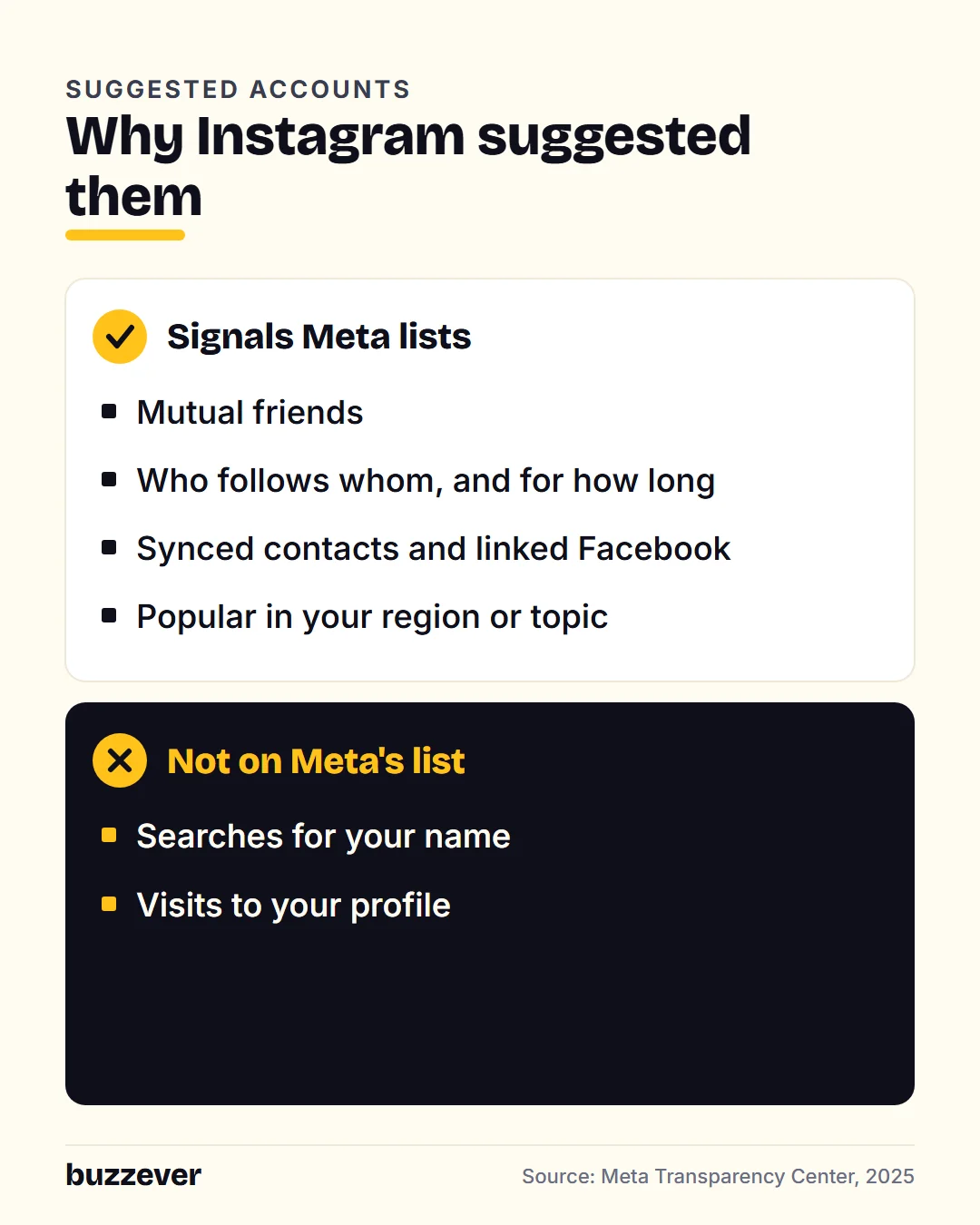
Meta's published explanation of Instagram's suggested accounts doesn't list searches or profile views as signals. It names mutual friends, whether and how long an account has followed you, synced contacts, linked Facebook data and popularity. Meta calls its list the significant signals, not a complete one, and you can turn off account suggestions on your profile.
Key takeaways
- Meta's own explanation of Instagram's suggested accounts does not list searches or profile views among the signals it uses.
- The signals it does name are mostly about connections: mutual friends, who follows whom and for how long, contacts you've synced and how popular an account is.
- Meta describes only "some of the significant predictions" and their signals, so nobody outside Meta can say for certain that searches never play a part.
- You can stop your profile appearing as a suggestion on other profiles, and you can reset or shape the suggestions you see.
You searched someone's name once, and a day later they turn up in your Instagram suggested accounts. Or someone you barely know appears under "Suggested for you" and you wonder if they've been looking at your profile. Does Instagram suggest you to people who search for you? Based on what Meta has published, there's no sign that it does, and the real reasons are usually easier to explain.
Meta publishes a "system card" for Instagram's suggested accounts in its Transparency Center. This guide walks through what that card says, what it leaves out, and the settings that let you control suggestions, all checked in October 2026.
How Instagram picks suggested accounts
According to Meta's Instagram Suggested Accounts system card, suggestions are chosen by an AI system in three steps.
- Finding candidates. It gathers possible accounts, such as followers of accounts you already follow, popular accounts in your region, and accounts related to topics and products you've recently engaged with.
- Ranking them. Machine learning ranks the candidates using your attributes and public behaviour on Instagram, such as the number of follows and mutual friends.
- Filtering. Blocked and deactivated accounts are removed, along with content that may break the Community Guidelines.
Suggestions appear in places like "Suggested for you" and "Discover people", in Explore, and in the list Instagram shows after you follow someone.
The signals Meta names
The system card lists the predictions the system makes, such as how likely you are to follow an account, or to follow it and be followed back, and the signals behind them. Grouped together, they are:
| Signal | What it means in practice |
|---|---|
| Mutual friends | The more people you both know on Instagram, the more likely the suggestion |
| Whether they follow you, and for how long | Someone who followed you recently often shows up for you |
| How close you are to the account | How close the system judges you to be to that account |
| How many people follow the account, and its popular followers | Used to predict whether you'll follow and then visit the profile |
| How many follows you've made in the last 28 days | How actively you're following new accounts right now |
| How many accounts the suggested account follows | Used to predict whether they'll follow you back |
| Whether the account is private | Factored into the chance you'll follow |
The card also explains that syncing your contacts and linking your Facebook account feed the system: disconnect them and it stops using your contact list or Facebook data for these suggestions.
So, does searching for someone make you appear in their suggestions?
Searches and profile views don't appear anywhere in the list of signals Meta publishes. The most common explanations for an awkward suggestion are on the list instead:
- They followed you. Whether an account follows you, and how long ago, is a named signal.
- You share friends. A few mutual follows is enough to put two people in front of each other.
- Contacts. If either of you synced a phone's contacts, the system can use them.
- Facebook. If your accounts are linked, Facebook connections can play a part.
- Same interests or region. Accounts related to topics you engaged with, or popular nearby, are candidates.
One honest caveat: Meta introduces its list as "some of the significant predictions" and their input signals, and that the models change often. It doesn't claim to be a complete list, so no one outside Meta can prove searches are never used. What we can say is that Meta doesn't name them, and the signals it does name explain most suggestions on their own.
Can you tell if someone searched for you?
No. Instagram doesn't show who searched for you or who looked at your profile. It does show who viewed your stories, and anyone can tell you've seen their story if you watch it. Apps that claim to reveal profile visitors can't get that information from Instagram, and many ask for your password, which you should never share.
How to control suggestions
Stop your profile appearing as a suggestion
When someone taps Follow on your profile, Instagram shows them similar accounts. You can turn off account suggestions on your profile from Edit profile on the web by switching off "Show account suggestions on profiles". Instagram notes that when you turn it off, you also won't appear as a suggestion on other people's profiles.
Shape what you're shown
- Tap the X on a suggestion to dismiss it. Meta says this feedback helps future suggestions.
- Disconnect contact syncing if you don't want suggestions based on your phone's contacts.
- Unlink Facebook if you don't want Facebook data used to recommend Instagram accounts.
- Restrict, mute or block accounts; the system uses these signals to avoid recommending them.
- Choose "Discover more accounts" to see suggestions that aren't personalised to you.
Want to be suggested more?
If you run a creator or business account, the same signals work in your favour. Collaborate with accounts your audience already follows, reply to people who follow you, and post in a clear topic so you're related to the subjects people engage with. Our Instagram hashtag generator helps you label posts so they reach people interested in your topic.
Read next: How to hide following on Instagram: what a private account really hides and How to know if someone blocked you on Instagram.
The short version
Suggestions follow connections, not searches, as far as Meta has published. If a suggestion feels too close, look for the mutual friend or the recent follow first. More Instagram guides are on Buzzever's Instagram page.
Questions readers ask
Does Instagram suggest people who looked at your profile?
Meta's system card for suggested accounts doesn't list profile views as a signal. The named signals include mutual friends, whether an account follows you and for how long, synced contacts and popularity, which explain most suggestions.
Will I show up in someone's suggestions if I search for them?
Searches aren't among the signals Meta lists for suggested accounts. You're more likely to appear because you share mutual friends, one of you follows the other, or one of you synced contacts.
Can you see who searched for you on Instagram?
No. Instagram doesn't show who searched for you or who viewed your profile. You can only see who viewed your stories. Be wary of apps that claim otherwise.
Why does Instagram suggest someone I've never interacted with?
Often because you have mutual friends, they recently followed you, they're in your synced contacts or linked Facebook connections, or they're popular in your region or related to topics you engage with.
How do I stop appearing in suggested accounts?
On the web, go to Edit profile and turn off "Show account suggestions on profiles". Instagram says you then won't appear as a suggestion on other people's profiles either.